Your profile
Enter your name, email address, and optionally your ACBL number once.
The iPhone App
BridgeLog replaces the paper scoresheet without getting in the way of the game. Most entries take only one or two taps, and BridgeLog keeps a clean, readable record for later review.
Watch the 2-minute demo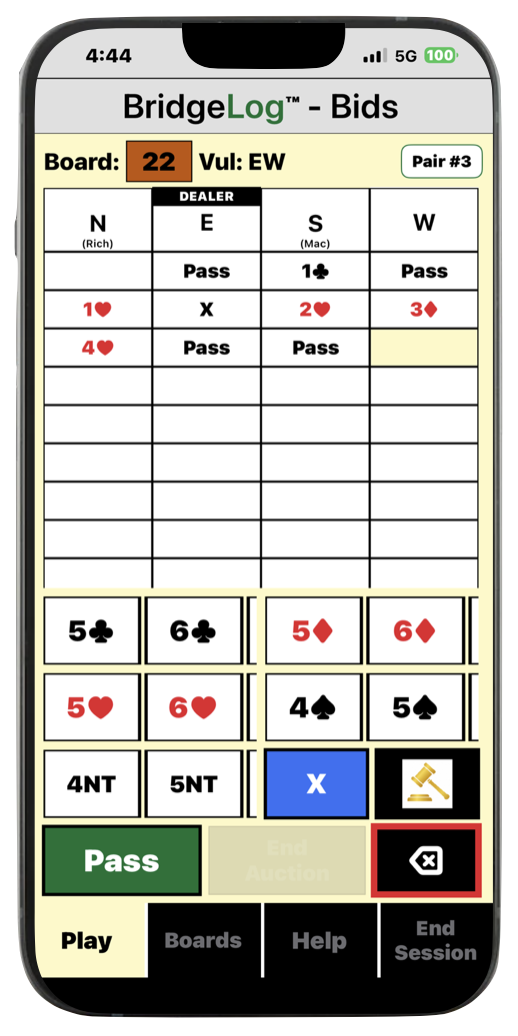
Explore the iPhone App
This short demonstration shows how BridgeLog fits into normal duplicate play—from setting up the session to recording bids, the opening lead, and the result.
BridgeLog is designed so the game stays the focus, not the phone.
Set up once
Enter your name, email address, and optionally your ACBL number once.
Save each partner so starting future sessions takes only a few seconds.
Save the location and/or game name for the clubs and games you play regularly.
If you have BridgeLog AI, you enter your bidding agreements with each partner only once.
Start a session
Select your partner, game, optional pair number, movement, starting position, and number of boards per round. At the beginning of each round, simply confirm or select your board number and position.
Built for real duplicate games
BridgeLog prevents illegal auction entries during normal bidding.
Tap the gavel button first to override BridgeLog's screen for legal bids, then enter a director-authorized, irregular call.
If the director asks about a previous board, the Boards button gives you quick access to the recorded information.
A comprehensive Help section is available throughout the app.
Mistakes are easy to fix
BridgeLog is forgiving. It's easy to fix entry errors immediately, later during the game, or after the game.